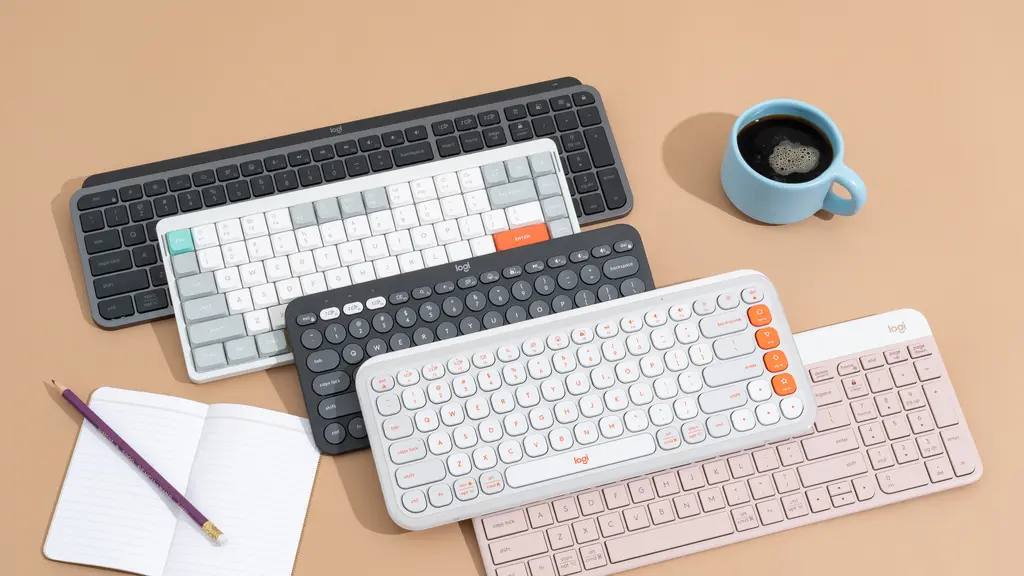
If you’ve been searching for a wireless keyboard that captures the comfort and familiarity of typing on a laptop, you’re not alone. Most mechanical keyboards feel too chunky and loud, while many wireless options sacrifice typing quality for portability. The good news? There are excellent wireless keyboards designed specifically with that low-profile, chiclet-style laptop feel you’re after.
The key difference lies in the key switches and design. Laptop-style keyboards use low-profile, scissor-switch mechanisms that provide shorter travel distance and quieter operation compared to traditional mechanical switches. This makes them perfect for office environments, long typing sessions, or anyone who prefers a softer, more responsive feel under their fingers.
We’ve rounded up the best wireless keyboards that genuinely replicate the laptop typing experience. From premium options packed with features to budget-friendly picks that don’t compromise on comfort, these recommendations come highly rated by users who prioritize that familiar laptop keystroke feel over gaming-focused mechanical alternatives.

1. Logitech MX Keys
Logitech MX Keys stands out as the gold standard for laptop-style wireless keyboards. Its low-profile keys feature a subtle spherical dish design that cradles your fingertips, making extended typing sessions remarkably comfortable. The backlit keys automatically adjust to ambient lighting conditions, and the smart illumination turns on when your hands approach the keyboard. With multi-device pairing, you can seamlessly switch between up to three devices with the press of a button, making it ideal for users juggling between a laptop, tablet, and desktop.
Build quality is where the MX Keys truly shines. The keyboard feels premium and substantial without being bulky, and the rechargeable battery lasts up to 10 days with backlighting or five months without it. The key travel is perfectly balanced – not too shallow, not too deep – replicating the feel of high-end laptop keyboards. It connects via Bluetooth or the included USB receiver, ensuring reliable connectivity across different setups. The typing experience is quiet and precise, making it perfect for shared workspaces or late-night work sessions.
Reasons To Buy:
- Exceptional typing comfort with spherical key design
- Smart backlighting adjusts to room conditions automatically
- Multi-device pairing switches between 3 devices instantly
- Long battery life (10 days with backlight, 5 months without)
Reasons To Aviod:
- Premium price point (around $100-120)
- Heavier than some portable options
- No tilt adjustment built-in

2. Apple Magic Keyboard
Apple’s Magic Keyboard is the natural choice for Mac users seeking that authentic Apple laptop typing experience. The chiclet-style keys offer the same shallow, responsive feel found on MacBook keyboards, with a satisfying tactile feedback that makes typing feel effortless. Its minimalist aluminum design matches Apple’s aesthetic perfectly, and the rechargeable battery can last up to a month on a single charge. The keyboard connects seamlessly with macOS devices via Bluetooth, with function keys optimized for Apple-specific features like Mission Control and Launchpad.
The ultra-slim profile makes the Magic Keyboard incredibly portable, slipping easily into laptop bags without adding bulk. Despite its thinness, the keyboard feels sturdy and well-constructed, maintaining Apple’s reputation for quality hardware. The low-profile keys produce minimal noise, creating a quiet typing environment that won’t disturb those around you. While it’s designed primarily for Mac users, it can work with Windows and other devices, though some function keys may not operate as intended. The typing angle is fixed but comfortable for most users.
Reasons To Buy:
- Perfect integration with MacOS devices and features
- Identical typing feel to MacBook keyboards
- Ultra-portable slim design fits anywhere
- Month-long battery life on single charge
Reasons To Aviod:
- Limited functionality on non-Apple devices
- No backlighting option available
- Higher price for what you get compared to competitors

3. Keychron K3 (Low-Profile)
Keychron K3 bridges the gap between mechanical keyboard enthusiasts and laptop-style typing preferences. Unlike traditional mechanical keyboards, it uses low-profile mechanical switches that deliver a satisfying tactile response while maintaining the slim form factor of laptop keyboards. You can choose between clicky, tactile, or linear switch options to match your typing preference. The 75% compact layout saves desk space while retaining essential function keys, and the hot-swappable switch option on certain models lets you customize your typing experience without soldering.
This keyboard works seamlessly across multiple operating systems with dedicated keycaps for both Windows and Mac layouts included in the box. The Keychron K3 offers both Bluetooth wireless connectivity for up to three devices and wired USB-C connection for zero-latency typing or charging. RGB backlighting with multiple preset modes adds personality to your setup, and the aluminum frame provides durability without excessive weight. The battery lasts up to 34 hours with backlighting on, extending significantly when turned off. It’s an excellent middle ground for users who want mechanical precision without sacrificing the laptop keyboard feel.
Reasons To Buy:
- Low-profile mechanical switches offer best of both worlds
- Works with Windows, Mac, Linux, and mobile devices
- Hot-swappable switches on select models for customization
- Compact 75% layout saves desk space efficiently
Reasons To Aviod:
- Still slightly thicker than pure chiclet keyboards
- Learning curve if switching from traditional laptop keys
- Pricier than non-mechanical alternatives

4. Microsoft Surface Keyboard
Microsoft’s Surface Keyboard delivers a premium typing experience that closely mirrors the feel of Surface laptop keyboards. The full-size layout with chiclet-style keys provides comfortable spacing and a soft, quiet typing action perfect for office environments. Its ultra-slim profile and modern gray finish complement contemporary workspace aesthetics, while the minimalist design eliminates unnecessary bulk. The keyboard connects via Bluetooth 4.0 and pairs instantly with Windows devices, offering a plug-and-play experience that requires no additional software or drivers.
Battery life is impressive, with two AAA batteries powering the keyboard for up to 12 months of typical use. The key travel is shallow but responsive, providing enough feedback to prevent typos while maintaining a whisper-quiet operation. The slight slope angle promotes natural wrist positioning during extended typing sessions. While it lacks backlighting and advanced features like multi-device pairing, its simplicity is part of its appeal – it just works reliably day after day. The build quality feels solid despite the lightweight construction, and the keys show minimal wear even after months of daily use.
Reasons To Buy:
- Exceptionally quiet typing ideal for shared spaces
- Year-long battery life from two AAA batteries
- Comfortable full-size layout with proper key spacing
- Affordable pricing compared to premium alternatives
Reasons To Aviod:
- No backlighting for low-light environments
- Single device pairing only, no multi-device switching
- Limited compatibility features outside Windows ecosystem

5. Logitech K380
Logitech K380 proves you don’t need to spend a fortune for excellent laptop-style typing. This compact, round-keyed keyboard offers a surprisingly comfortable typing experience with its chiclet-style keys that provide just the right amount of travel and feedback. Despite its budget-friendly price (usually around $30-40), it delivers impressive multi-device functionality, allowing you to pair and switch between three devices instantly using the Easy-Switch buttons. The circular key design might look unconventional, but it actually enhances typing accuracy and comfort once you adjust to it.
Portability is a major strength of the K380. Its lightweight, compact design makes it perfect for throwing in a bag for travel or commuting, and it works seamlessly across Windows, Mac, Chrome OS, Android, and iOS devices with automatic OS detection for correct key mapping. The keyboard runs on two AAA batteries that can last up to two years, eliminating charging anxiety. The typing sound is pleasantly muted, and the stable rubber feet keep it firmly in place during use. While it lacks backlighting and premium materials, it punches well above its weight class in terms of functionality and typing comfort.
Reasons To Buy:
- Exceptional value for money under $40
- Multi-device pairing switches between 3 devices easily
- Two-year battery life eliminates charging hassles
- Highly portable and works across all major platform
Reasons To Aviod:
- No backlighting for dark environments
- Compact size may feel cramped for larger hands
- Plastic construction feels less premium than alternatives
Final Conclusion
Choosing the right wireless keyboard with a laptop-style feel ultimately comes down to your specific needs and budget. If you’re after premium build quality and smart features, the Logitech MX Keys delivers exceptional value despite its higher price. Mac users will find the Apple Magic Keyboard offers unmatched integration and familiarity. For those wanting a touch of mechanical precision without sacrificing the low-profile design, the Keychron K3 strikes an impressive balance. The Microsoft Surface Keyboard provides reliable, quiet performance for Windows users at a reasonable price, while the Logitech K380 proves you don’t need to break the bank for comfortable, versatile typing. Whichever option you choose, you’ll enjoy the familiar comfort of laptop-style keys with the freedom and flexibility of wireless connectivity.
Frequently Asked Questions
Q: What’s the difference between laptop-style and mechanical keyboards? Laptop-style keyboards use low-profile scissor switches with shorter key travel (1.5-2mm) and quieter operation, while mechanical keyboards have taller switches with longer travel (3-4mm) and more tactile or clicky feedback. Laptop-style keyboards are slimmer, quieter, and better for portable setups, whereas mechanical keyboards offer more customization and a distinct typing feel preferred by gamers and enthusiasts.
Q: Do wireless keyboards have input lag compared to wired ones? Modern wireless keyboards using Bluetooth 5.0 or dedicated 2.4GHz receivers have negligible latency (typically 1-5ms) that’s unnoticeable for typing and general use. Only competitive gamers might notice the difference. The keyboards in this list all offer reliable, lag-free performance for everyday tasks and professional work.
Q: How long do batteries typically last on wireless keyboards? Battery life varies significantly depending on features. Keyboards with backlighting like the MX Keys last 10 days to several weeks with lighting on, or months with it off. Non-backlit models like the K380 can run for 1-2 years on standard AAA batteries. Rechargeable models typically need charging every 1-3 months with normal use.
Q: Can I use these keyboards with multiple devices simultaneously? Most modern wireless keyboards support multi-device pairing, allowing you to connect to 2-3 devices and switch between them with dedicated buttons. The Logitech MX Keys, K380, and Keychron K3 all offer this feature. However, the Apple Magic Keyboard and Microsoft Surface Keyboard only pair with one device at a time.
Q: Are laptop-style keyboards good for programming or long typing sessions? Yes, laptop-style keyboards are excellent for extended typing and programming. The low-profile design promotes better wrist ergonomics, and the quiet operation is less fatiguing than loud mechanical switches. Many professional writers and programmers prefer chiclet-style keys for their consistent, predictable feedback and comfortable typing experience over hours of use.
Q: Will these keyboards work with my iPad or tablet? Most wireless keyboards in this list work perfectly with iPads and tablets via Bluetooth. The Logitech K380 is particularly well-suited for mobile devices with its compact size and automatic OS detection. The Apple Magic Keyboard pairs seamlessly with iPads, while the Keychron K3 and MX Keys also support iOS and Android tablets with proper key mapping.